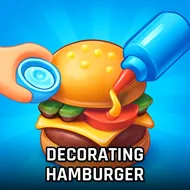
Fast Cuisine Kitchen
Instructions:
Tap to cook and serve food Manage orders and satisfy customers Upgrade kitchen and unlock new items Expand your restaurant and increase profitsDescription
Play Fast Cuisine Kitchen With No Download
No installs, no waiting around for a progress bar to finish, just click the link and you're standing behind a grill within seconds. Fast Cuisine Kitchen runs straight in the browser, tab open and you're already flipping burgers, which honestly makes it the kind of thing you fire up on a break instead of committing an evening to.
Why You Should Play
There's something oddly calming about a game that starts you off with basically nothing and lets you claw your way up one burger at a time. You're tapping to grill patties, stacking buns, and shoving finished orders at customers who are, let's be honest, not the most patient bunch. Miss too many orders and the whole thing feels like it's slipping through your fingers, but nail a rush of orders back to back and there's a real little jolt of satisfaction there. The tycoon layer underneath the cooking keeps things from feeling repetitive too fast — every bit of cash earned can go toward a faster stove, a new dessert station, or eventually a whole new type of restaurant, so the stall you started with barely resembles the place you're running an hour later. It's casual in pace but not shallow in structure, and that balance is why it's easy to lose track of time with this one.
Winning Strategies
- Reinvest early profits into kitchen upgrades rather than hoarding coins for later.
- Prioritize speed upgrades before variety ones — a faster grill saves you more than a fancier menu early on.
- Keep an eye on customer patience bars and serve near-timeout orders first.
- Unlock new food items gradually instead of spreading your stations too thin.
- Batch similar orders together when the rush hits so your taps don't waste motion.
- Expand the restaurant only once your current setup runs smoothly without constant order drops.